Free vs paid recipe costing tools: when to switch from spreadsheets
A free spreadsheet template is the right tool for costing recipes up to roughly 50–75 simple dishes on a single site with prices that don't move often or recipes that aren't being used multiple times within other recipes. Once you're managing more recipes than that, running multiple sites, have multiple recipes within a single recipe, or are updating supplier prices weekly, the time spent maintaining the spreadsheet, and the cost of the errors that creep into it, usually outweighs what paid recipe costing software costs.
That's the short answer. Here's how to tell which side of that line you're actually on.
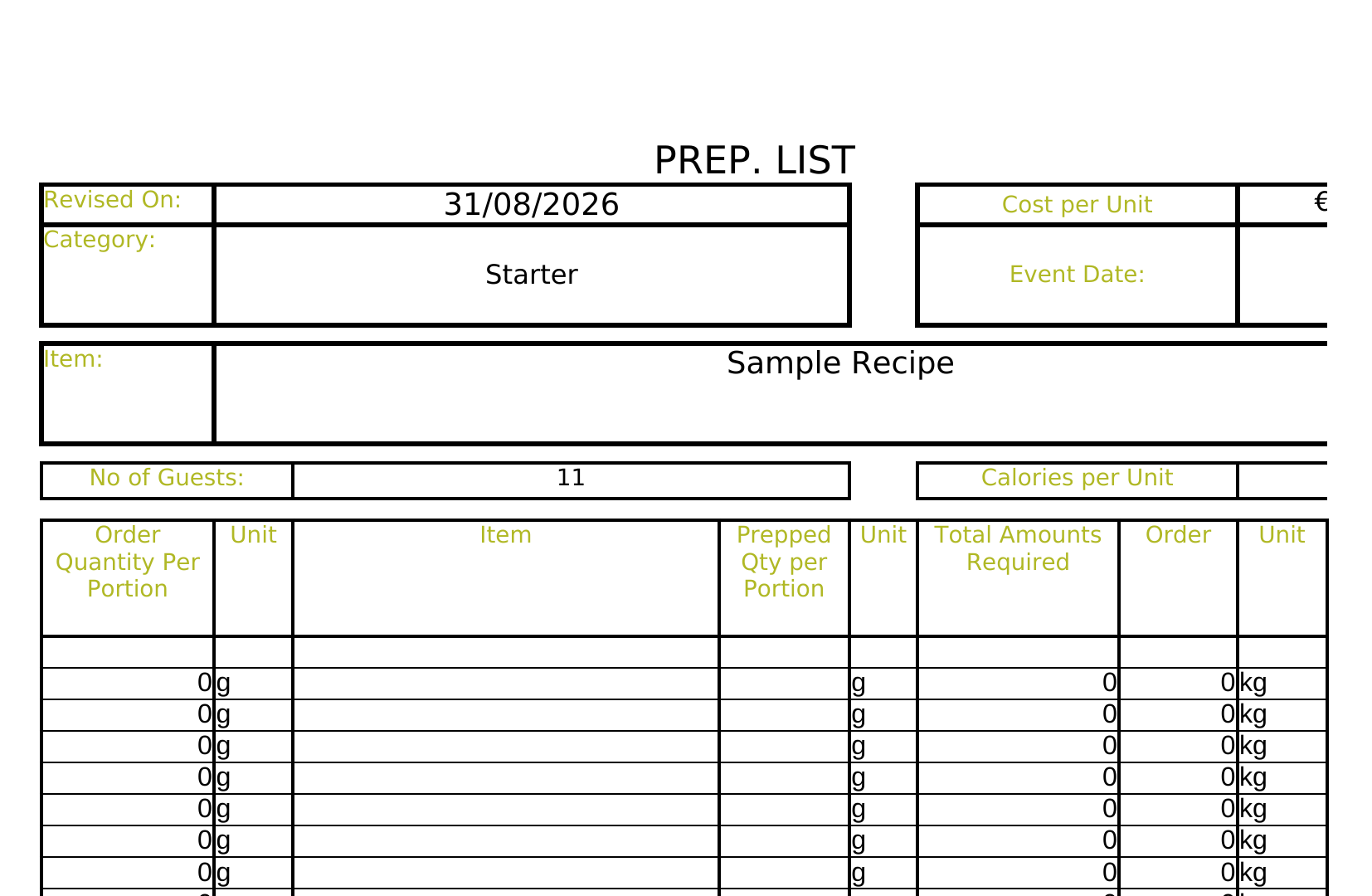
What a free template still does well
Recipe costing templates (ours included) are genuinely good at the job for a small, stable menu:
- They cost nothing beyond the time to fill them in.
- The formulas are straightforward: unit cost, yield adjustment, wastage allowance, per-portion cost. A template has them built in, so you're not building a costing model from scratch.
- They're transparent. You can see and check every cell, which matters when you're learning to cost recipes properly for the first time.
If you run one site, a menu under about 75 dishes, and your supplier prices are reasonably stable, a well-built spreadsheet can hold your margins fine, as long as someone actually keeps it updated.
Where spreadsheets start to break down
The formula doesn't change. What breaks is the maintenance, and it breaks in fairly predictable ways:
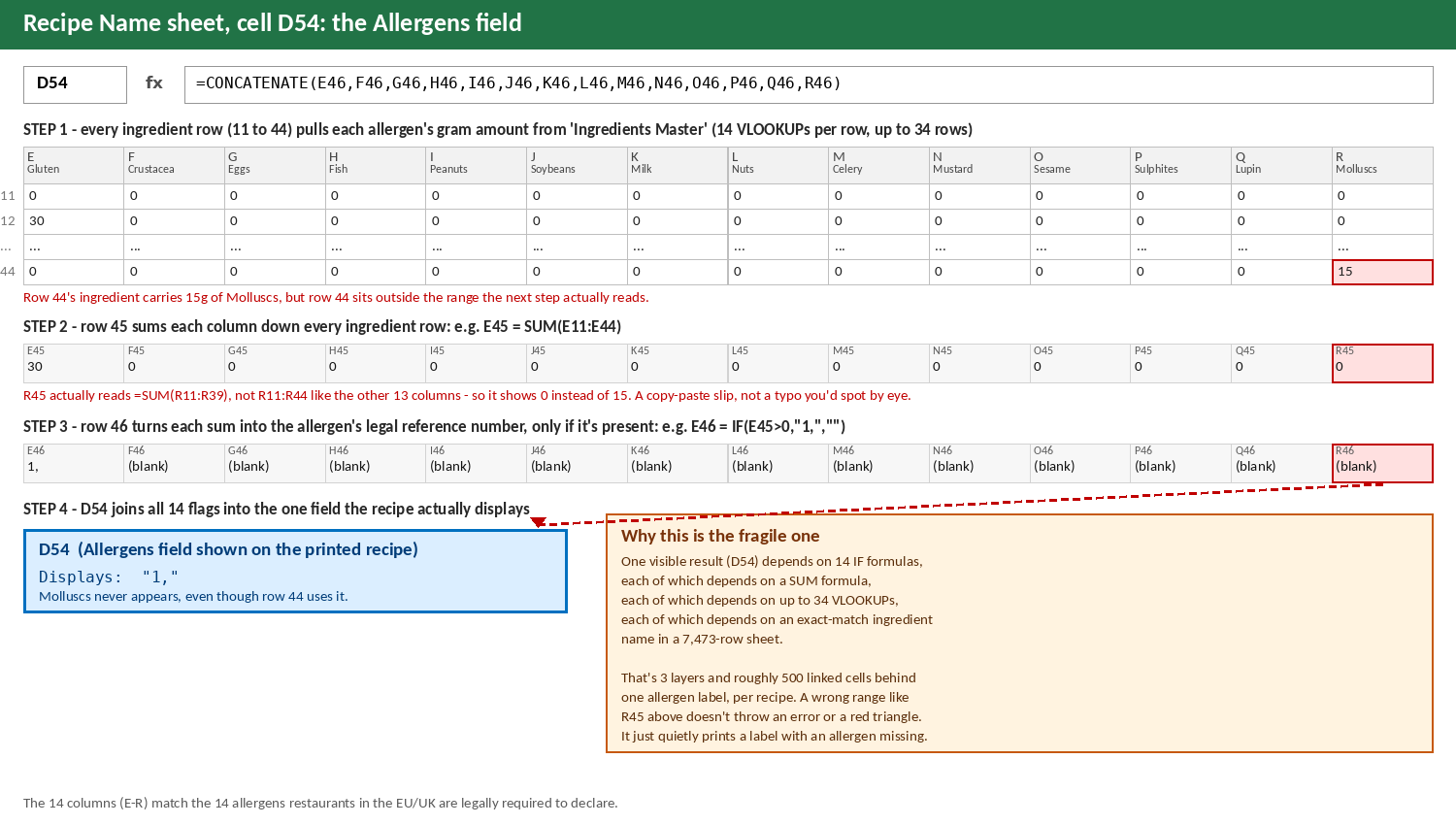
- Manual updates don't scale. Every supplier price change means re-entering numbers by hand across every recipe that uses that ingredient. Industry estimates put manual recipe cost updates at 10+ hours a week per location once a menu grows past a couple of dozen active recipes. That time is usually absorbed by whoever's least busy, which means it often doesn't happen at all. Our template is designed to run off a central list of your ingredients, which means you can update the price there and in theory it will update the costs on all your recipes – however, because of this set-up, our formulae are finicky and prone to break if not copied and pasted correctly. We have also built this same link for allergens and nutrients, so you're not doing the same job twice.
- Stale prices are the default, not the exception. When updating is manual and time-consuming, the natural outcome is that costs get updated in batches, monthly, or "whenever someone gets to it." So the margin you think you're running is usually a few weeks or months out of date.
- Spreadsheets are error-prone at scale. Independent research going back to the 1990s (Panko, and the EUSPRIG spreadsheet risk research that followed) consistently finds that the large majority of spreadsheets in active business use (most studies land between 88% and 94%) contain at least one material error. Recipe costing spreadsheets with dozens of linked formulas across dozens of tabs are exactly the kind of spreadsheet that research is describing.
- Multi-site makes it worse, not just bigger. A single spreadsheet per site means the same ingredient can be priced differently across locations with no single source of truth, and rolling out a menu or price change to every site means editing every file individually. We tried sharing across shared drives (we won't name names, but the big ones) and the links in our spreadsheets stopped working, because there was no one specific "drive" they could all reliably point back to.
Where it actually breaks: sub-recipes
The template works by linking every recipe back to one ingredients file: update a unit price once, and every recipe using that ingredient updates with it. That holds up fine for simple recipes. It starts to fall apart once recipes are built from other recipes.
Take a Caesar salad. It's not just lettuce, croutons and a few raw ingredients. It's built from marinated chicken and Caesar dressing, which are themselves separate recipes with their own ingredient lists. The Caesar salad now needs to pull live pricing from two sub-recipes as well as its own ingredients, and each of those needs to keep reading from the same central ingredients file. Add a second site that also needs to read and update that file, and you're asking a spreadsheet to resolve a web of linked files pointing back at each other. That's exactly the kind of structure spreadsheets weren't built for, and it's where formulas start looping or simply break.
We tried to solve this ourselves with shared-drive options, hoping shared cloud storage would keep everything in sync. None of them held up once the formula complexity and the number of cross-linked files grew. Links break, versions drift, or the whole thing slows to a crawl. Take a look at how many formulas sit behind our own template and it's not hard to see why.
The costs that don't show up in the spreadsheet itself
A few other gaps only show up once a spreadsheet system is actually running a business day to day, rather than sitting in a demo:
- No access separation. Sharing a recipe folder means sharing everything in it. There's no way to let a chef open a recipe and method without also handing them the ingredient costs, margins and pricing behind it.
- No real security. Anyone with access to a shared drive can take a full copy of it. We had a staff member leave and take a copy of our entire recipe library with them on the way out, something a shared folder simply can't prevent.
- Manual organisation. Sorting recipes by course or type (starters, mains, batch, allergen-free) has to be done by hand in folders or filenames, and it drifts as the recipe count grows.
- No nutritional labels. A spreadsheet can hold allergen notes, but it can't generate a compliant nutritional label from that data.
- Ingredient swaps mean touching every recipe. Move your butter supplier and that ingredient might sit in 100 recipes. In a spreadsheet, that's 100 manual edits, one at a time.
- No integrations. A spreadsheet can't talk to your EPoS, stock or till system. Every price and every sale has to be entered by hand on both sides.
Free template vs paid software, side by side
| Free spreadsheet template | Paid recipe costing software | |
|---|---|---|
| Upfront cost | €0 | Monthly subscription |
| Best for | 1 site, <75 recipes, stable prices | Multiple sites, larger menus, frequent price changes |
| Updating supplier prices | Manual, per recipe, per file | Update once, applies across every linked recipe automatically |
| Multi-site consistency | Separate file per site, drifts over time | Single source of truth across all sites |
| Sub-recipes (recipes built from other recipes) | Breaks down: loops, broken links | Native support |
| Ingredient swap across recipes | Manual, recipe by recipe | Two clicks, updates every linked recipe |
| Recipe access vs. cost/margin access | All-or-nothing: share the file, share everything | Separate permissions per user |
| Security / copy risk | Anyone with access can copy the whole thing | Controlled access, no wholesale export |
| Allergen, label & nutritional compliance | Manual tracking, no label generation | Built in at ingredient level, generates compliant labels |
| Connects to EPoS / stock / suppliers / till | No | Often yes, pulls live prices instead of re-typing them |
| Error risk | Higher as the sheet grows (see above) | Lower: formulas are fixed, only inputs change |
The signals it's time to switch
You don't need to guess. A few concrete thresholds tend to show up right before the switch pays for itself:
- You've noticed your margin slip and you know you're not really using your recipes any more the way you know them off, even though nothing has changed.
- You're looking to step out of the kitchen and want to streamline the process.
- You're managing more than about 75–100 active recipes, or the menu spans multiple sections (food, drinks, specials) with different target margins.
- Your recipes are built from other recipes: batch sauces, dressings, or prep items used across multiple dishes. This is where spreadsheets and shared drives break down first.
- You operate more than one site and need prices and margins to match across all of them.
- Supplier prices change weekly or more often, and you know (or suspect) your costed prices are behind.
- You need to give kitchen staff recipe access without giving them cost and margin visibility.
- You want to reduce manual work – enter it once and feed it from there.
- You need allergen or nutritional label compliance tracked at ingredient level, not just recipe level.
- You're already paying for an EPoS, stock, or supplier platform and re-typing numbers that already exist somewhere else.
- You want to plan kitchen production based on multiple recipes being made at certain times – you need to streamline your supplier orders.
If none of those apply yet, keep using the template. It's the right tool for where you are. If two or more do apply, the maintenance cost of the spreadsheet has probably already overtaken the subscription cost of the alternative; it's just not showing up on a bill anywhere.
What switching actually looks like
Moving off a spreadsheet isn't fully automatic, but it's not a blank slate either. On Prepsheets, your ingredients list uploads in: either from our managed database of around 40,000 supplier ingredients (growing every week), or by uploading your own supplier listings directly. Recipes themselves are entered by hand, and that's deliberate. Recipes coming off an old system often haven't been properly reviewed in years, so rebuilding each one is also a chance to review it. Prepsheets shows exactly what each ingredient or sub-recipe is doing to the cost, margin, allergens and portion size as you build it, so you're making an informed decision on every recipe rather than just carrying old numbers across.
Once that setup is done, sub-recipes update automatically when anything underneath them changes, swapping a supplier for an ingredient used across a hundred recipes takes two clicks instead of a hundred edits, and staff can get recipe access without ever seeing the costs and margins behind it. It can also connect to the EPoS, stock, supplier, or labelling platforms you're already using, rather than replacing them. Customers report an average 4% margin increase and an hour a day saved on recipe admin, roughly the gap this article is describing, closed.
Whichever side of the line you're on, the underlying discipline is the same one behind gross profit margin holding steady and menu pricing staying accurate: recipes need to be costed properly and kept current, whether that's done by hand or automatically. If you haven't started, our free recipe costing Excel template is still the right first step.