Help Centre › Company Setup
Invite Your Team & Set Roles
You can invite your team into Prepsheets and control what each person can do. Every member gets one of three roles — Viewer, Editor or Admin — so front-of-house can look up allergens while only trusted staff change recipes.
How do I invite someone to Prepsheets?
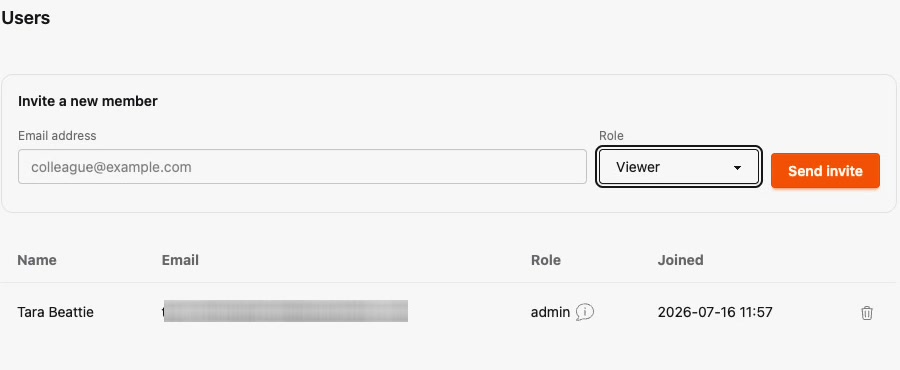
- Go to Settings and open Users.
- Under Invite a new member, enter their email address.
- Choose their Role, then click Send invite.
What can each role do?
- Viewer — view only. Ideal for floor staff who need to check recipes, allergens and labels but shouldn't change anything.
- Editor — can add and edit recipes and ingredients, but cannot delete recipes.
- Admin — full control, including deleting recipes and managing settings.
Tip: Give people the lowest role that still lets them do their job. You can change someone's role or remove them from the Users list at any time.