Christmas menu planning: costing, food labels and connected systems
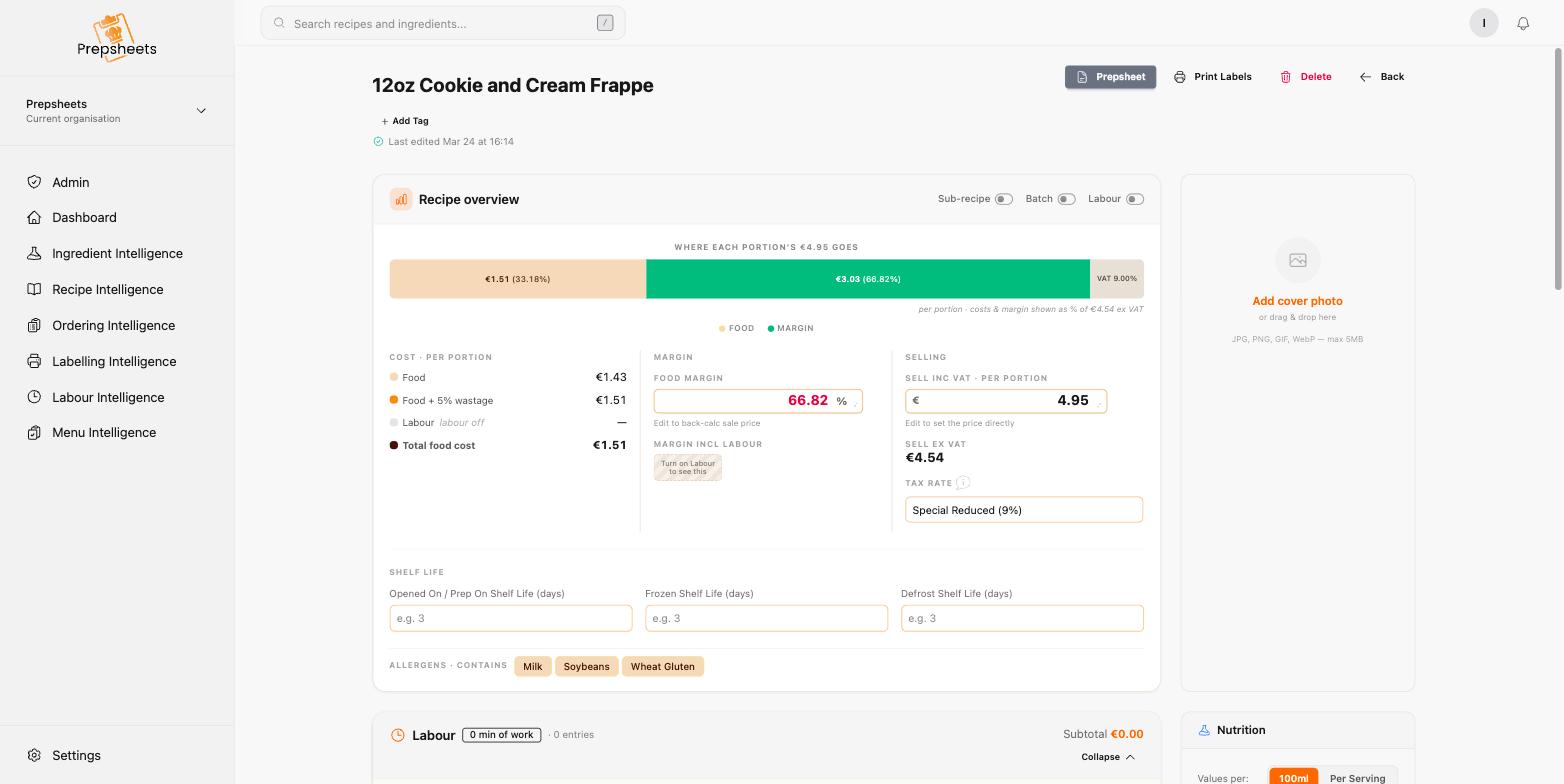
To get a Christmas menu ready, cost every recipe at current ingredient prices, check the actual portions your batches produce, and prepare the labels you need for both kitchen storage and products you sell. Then check how those recipes and prices reach your till and purchasing systems, where you have connections set up.
A Christmas menu on paper is only part of the job. That same food might be served at a party, packed as a takeaway lunch, or sold as a festive product. A new ingredient might arrive just before a busy service. Each version needs a clear cost, the right ingredient information, and a team that knows what to produce and label.
October is a useful time to join those jobs up, before you commit to a menu price and start taking bookings. With Prepsheets, the costing, ingredient information and labels sit together. You can build the menu once, then work from the same recipe records as you prepare, label and sell the food.
Start with the complete plate, not just the main ingredient
Cost the soup, the bread, the butter, the turkey, the stuffing, the gravy, the vegetables, the dessert and its garnish. If you offer choices, cost each combination. An average menu cost can hide a more expensive starter and main that customers often order together.
Use current pack prices, the quantities you actually use, and measured preparation and cooking yields. If your gravy, stuffing or sauce is a sub-recipe, cost that batch separately and include the amount used in the finished dish. Count yield losses once; keep any separate allowance for spoilage or overproduction clear so you do not charge for the same loss twice.
Our step-by-step recipe costing guide covers the calculation. For Christmas, the important extra step is doing it before you lock in the selling price.
A worked example: does the full Christmas menu fit the price?
Here is an illustrative three-course menu, using invented costs to show the calculation. These are not supplier quotes or a recommended price for your venue.
| Menu component | Cost per guest |
|---|---|
| Starter | €1.65 |
| Main course, including stuffing, gravy and vegetables | €4.95 |
| Dessert | €1.80 |
| Bread and butter | €0.45 |
| Additional garnish and seasoning, not already included above | €0.35 |
| Total ingredient cost | €9.20 |
At a selling price of €32 excluding VAT, the food cost is €9.20 ÷ €32 × 100 = 28.75%. The ingredient-based gross profit margin is 71.25%.
If you had chosen a 30% food-cost target for this example, the ingredient budget would be €32 × 0.30 = €9.60 per guest. That leaves only €0.40 before the menu exceeds that chosen target. A more expensive substitution, an extra side or a larger portion could use it up quickly.
Food GP is not net profit. Labour, service time, utilities and other operating costs still have to be covered. Calculate on a consistent VAT basis and apply the tax treatment appropriate to what you sell; see our guide to pricing a dish.
Check batch yields before multiplying the bookings
A batch that costs €224 and produces 40 portions costs €5.60 per portion. If it actually produces 36 usable portions, the cost becomes €6.22 per portion, rounded to the nearest cent. The batch cost has not changed, but your portion cost has.
Test the quantities and portion sizes you intend to serve. Use the actual batch yield, then scale for confirmed bookings and a deliberate production allowance. Do not treat every extra portion as guaranteed revenue.
Prepsheets' batch and sub-recipe tools let you maintain a sauce or stuffing in one place and use it across dishes. When its ingredient costs are updated, the recipes using it reflect those changes.
A new ingredient arrives: print the back-of-house label directly
Christmas often brings ingredients you do not normally keep in stock. Get the supplier information and ingredient record right when the product arrives, including its price, pack size and allergen details. A seasonal replacement can affect both the cost and the information your kitchen needs.
You do not have to build a finished recipe just to label an ingredient. Prepsheets lets you print back-of-house labels directly from an ingredient record. That is useful when a new item comes in and needs to be identified and managed in the kitchen straight away.
Opened On, Frozen On and Defrost labels also support the team as ingredients and prepared food move through the kitchen. Use dates and storage instructions from your established food-safety procedures. Printing a date does not establish a safe shelf life; the decision behind that date still needs to be sound.
Our back-of-house date labelling guide explains how those labels fit into day-to-day kitchen control.
Selling Christmas products? Prepare those labels too
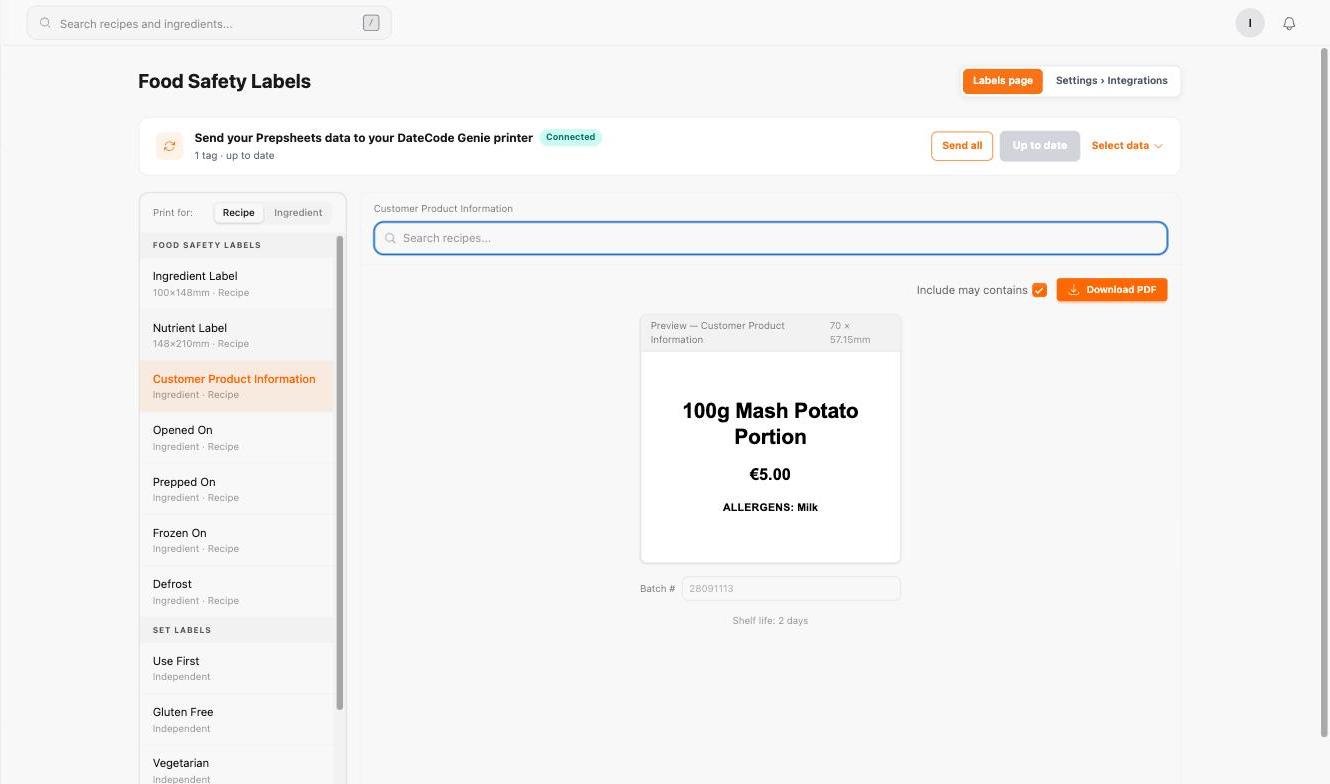
If you are selling festive cakes, puddings, sauces, takeaway meals or other Christmas products, an internal kitchen label is not the same as the label a customer needs. Decide how the product will be packed and sold, then prepare the appropriate customer-facing label.
Prepsheets gives you access to product labels alongside the recipe's costing and ingredient information. Work from verified ingredient specifications and the recipe you actually make, including every sub-recipe. A different stuffing, chocolate or sauce can change the allergen information even when the product name stays the same.
Before you print a production run, check the required product information for your market and selling format, including ingredient and allergen declarations, date and storage information, and nutrition where required. Compliance depends on the correct source data and the right label for the product; it cannot be established by the appearance of a printed label alone.
See our guide to food labelling and the EU/UK allergen guide for the considerations behind the label. Confirm any changes against the actual supplier specifications before selling the product.
Connect the menu to your till and purchasing workflow
Once the Christmas menu is costed, check how its information gets to the systems your team uses. If you have an API connection to your till system, you can use that connection to send the agreed product and pricing information through, rather than re-entering it separately.
The fields and behaviour depend on your configured integration. Check that the correct menu item, price and tax settings appear at the till before the first Christmas service, particularly if you sell different portion sizes or takeaway versions.
If your purchasing portal allows API connections, Prepsheets can be set up to talk to it, using actual current pricing for all the ingredients you purchase, along with accurate allergen and nutritional information supplied through the purchasing portal or directly by your suppliers.
These connections need to be set up for your operation. They are not automatically present in every till or purchasing system. The aim is to keep the cost you used to price the menu aligned with the ingredients you buy and the products you sell.
Before the Christmas menu goes live
- Recipes: every course, side, garnish and sub-recipe is costed using current prices.
- Production: batch yields and portion sizes have been checked, with overproduction considered separately.
- Ingredients: new and replacement products have the correct supplier and allergen information.
- Kitchen labels: ingredient and prep labels are ready for the team's food-safety procedures.
- Products for sale: customer-facing labels have been checked against the actual product and the requirements that apply.
- Connections: where configured, the till and purchasing workflow carry the intended product, price and unit information.
Recheck the figures and labels when the menu, supplier, ingredient or portion changes. Christmas preparation is easier when the recipe, its cost and the information used to label and sell it are maintained together.
For a worked seasonal example, see our gingerbread latte recipe, with ingredients, supplier references, costing, allergens and nutrition from Prepsheets.